Last updated: August 2026
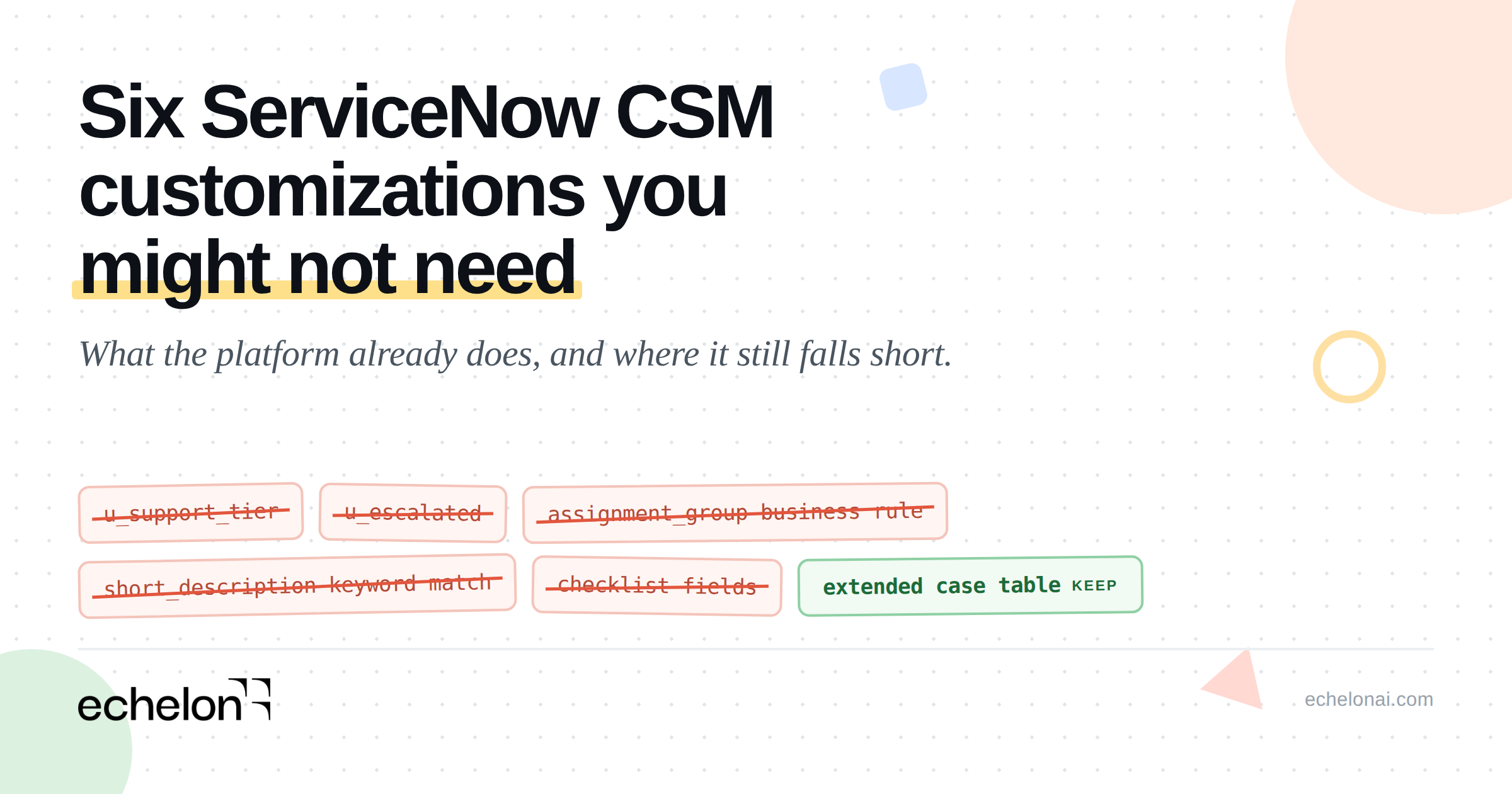
Quick answer: Six capabilities in ServiceNow CSM are commonly rebuilt by hand: case type modeling, entitlement determination, escalation, work assignment, guided process, and case classification. Most have been native for years. The audit question is whether the native feature covers the edge case your custom was built for, because for several of them it does not.
Every mature CSM instance carries customizations that were reasonable when they were written. A support tier field, an escalation boolean, a business rule that sets the assignment group. Nobody built them carelessly. What happens is that the platform capability arrives, or was already there, and nobody goes back to remove the thing that came first.
This article walks the six that come up most often. For each one: the custom teams typically have, what CSM provides natively with the plugin and table names, and where the native capability stops. That last part matters more than the first two. Several of these customizations were necessary, and a couple of them still are.
Table of contents
- Case Types, and when extending the case table is still right
- Entitlements, and the weighted score most teams do not know about
- Escalation as a record rather than a flag
- Advanced Work Assignment, and why the business rules got written
- Playbooks instead of a hand-maintained checklist
- Predictive Intelligence, and the volume question
- The six at a glance
- The test for deleting a customization
- Frequently asked questions
1. Case Types, and When Extending the Case Table Is Still Right
The common custom: a new table extending the case table for every line of business that needs a different form, a different set of required fields, or a different process.
What CSM provides: the Customer Service Case Types plugin, com.snc.csm_case_types, included with core CSM. It gives each line of business a distinct process, form, SLA set and playbook while keeping everything on the CSM case model. Process variation without a new table.
Here is where most articles on this topic go wrong. Extending the case table is ServiceNow's own documented pattern when the data model is genuinely different. ServiceNow support KB1680392 instructs teams to "create a table for the new case type that extends the Case table." So the division is cleaner than delete-your-extensions: Case Types covers process variation, extending covers data model difference.
If your vertical difference really does live in the data, ServiceNow's industry products already model it, and the inheritance chains differ in ways worth knowing before you plan anything:
- Retail Case extends
sn_customerservice_casedirectly. The Retail industry documentation states that "this table extends the Customer Service Management case table. All fields utilized through Customer Service Management case remain intact." Retail multi-store case and Store Audit Case sit alongside it. - Healthcare case,
sn_hcls_case, also extendssn_customerservice_casedirectly. - Financial Services Operations does not. The chain runs
sn_customerservice_caseto FSO Base Casesn_bom_caseto the domain case. Some FSO applications use a different chain again: CSM Base, then FSO Complaint Base, then FSO Complaint Case. Worth confirming which chain applies to the specific FSO app you are looking at. - Public Sector Digital Services delivers through service definitions combined with the Case Types plugin, rather than a headline PSDS case table.
- Telecommunications Service Management is order and inventory modelling aligned to TM Forum APIs. It does not ship a case subclass, and anyone telling you telco comes with a case model is describing something else.
On healthcare specifically, the HCLS core data model lists 43 tables as of Zurich. Those are HL7 FHIR-aligned clinical entities: patient, practitioner, encounter, condition, medication, claim, pre-authorization. Exactly one of them is a case table. They are entities to populate and integrate, and treating that number as 43 case types you inherit will mislead your planning badly.
One field note, community-reported rather than documented: extending sn_hcls_case following ServiceNow's own instructions has produced cross-scope access policy errors. Worth a proof of concept before committing.
Where this stops: every industry product is separately licensed. Adopting one is a re-platforming program carrying data migration, integration remapping, ACL work and a workspace rebuild. That is a capability decision with a business case, not configuration cleanup you slot into a sprint.
2. Entitlements, and the Weighted Score Most Teams Do Not Know About
The common custom: a u_support_tier choice field on the account or the case, a business rule that looks up the contract and stamps the value on case creation, and sometimes a separate custom entitlements table alongside it.
What CSM provides: an entitlement defines the type of support a customer receives and the supported communication channels. The case entitlement calculation scores every entitlement matching the case and assigns the highest scorer. The weights are the single most useful fact in this article:
| Input | Weight |
|---|---|
| Contract | 4 |
| Asset, Sold Product, Install Base | 3 |
| Product | 2 |
| Account, Consumer | 1 |
Case Channel participates as a qualifier without carrying a weight. Sold Product and Install Base only participate when Proactive Customer Service Operations is active. The implementation lives in global.CSManagementUtils, method getFirstEntitlement.
Read the weights in order and the design intent is clear: precedence runs from the most specific commercial artifact down to the customer record. Contract beats asset, asset beats product, product beats account. That is the reverse of what most teams assume, which is usually that the account-level tier is the authoritative answer.
That assumption is exactly why the custom field fails at scale. A single tier value on the account cannot express platinum support on one product and standard support on a different asset for the same customer. The weighted calculation can, and it has been able to for years.
There is a mundane origin story for a lot of these custom fields, community-reported: Customer Contracts and Entitlements is a separate plugin, and teams that hit the wall of being unable to create entitlement records at all reached for a choice field instead of chasing an install.
Where this stops: the tie-break is undefined. When two entitlements score equally, getFirstEntitlement takes the first match it finds, which in practice means query order. Model your contracts to avoid ties rather than assuming the engine arbitrates them for you. The configuration documentation covers the setup, and this gap is the one place a small amount of custom logic still earns its keep.
3. Escalation as a Record Rather Than a Flag
The common custom: a u_escalated boolean, sometimes a couple of extra case states, and a scripted email to a manager distribution list.
Being precise here matters, because architects reading this know their own schema. The platform already ships an escalation choice field on task (Normal, Moderate, High, Overdue) which the case inherits, and CSM adds an active_escalation reference field on the case pointing at the current escalation record. Teams are usually overloading fields that exist rather than inventing from nothing.
What CSM provides: escalating a case or an account creates an associated escalation record. The tables are sn_customerservice_escalation, sn_customerservice_escalation_template and sn_customerservice_escalation_severity.
The record carries a lifecycle of Requested, Escalated, Declined and Closed, and a form that captures Request Source (customer requested or internally requested), Reason (inactivity, lack of progress, customer imposed deadline), Escalation Trend (improving, same, declining), Watch List, Approved By, Declined By, De-escalated By and Escalation Justification. Escalation templates define how the request is processed, including its type and an optional approval group. Severity definitions set the type and the colour used to represent escalated cases and accounts in the interface.
Roles are sn_customerservice.escalation_requester and sn_customerservice.deescalation_requester for users, with admin and configuration roles sitting in the shared CRM foundation scope as sn_crm_escalation_admin and sn_crm_escalation_config_viewer.
The strongest argument in this section is the half that gets used least: account escalation. One escalation manager can own an issue spanning many cases, with a single record tracking trend, justification and approval across all of them. No boolean on an individual case can express that relationship.
Where this stops: escalation is severity and approval driven. It raises visibility and establishes ownership. It does not re-route work between support tiers. If what your custom escalation was really doing was moving a case from tier one to tier two, that job belongs to Advanced Work Assignment, and CSM escalation has no source-group-to-destination-group model at all. Configuring escalation management covers the setup.
4. Advanced Work Assignment, and Why the Business Rules Got Written
The common custom: business rules with conditional chains setting assignment_group, plus scripted round robin or least-loaded distribution logic.
Those business rules got written for good reasons, and skipping past that is how a section like this loses a technical reader. Native platform assignment rules (sysrule_assignment) carry real constraints:
- They only act when both
assigned_toandassignment_groupare empty, so they cannot re-route on update. Category change, entitlement change, escalation, transfer on reopen: none of it is reachable. - Only the lowest-order matching rule runs. There is no fallback chain.
- The record has a server-side script field of roughly 8,000 characters that silently overrides the static group and user values, so describing assignment rules as no-code is inaccurate for anything dynamic.
- Execution order runs before-insert business rules under order 1000, then the single matching assignment rule, then before-insert business rules over 1000, then after-insert. A before rule that stamps a group silently suppresses every assignment rule, with no error and no log entry. That behaviour generates more support tickets than anything else in this area.
- They apply to Task and task-extended tables only, and never to unsaved form changes.
- Round robin is not available.
What CSM provides: Advanced Work Assignment. The plugin set is core AWA com.glide.awa plus Advanced Work Assignment for CSM com.sn_csm.awa, which enables the Case service channel. Agent Chat contributes the chat channel through com.glide.interaction.awa. It requires the awa.enabled property and the awa_agent role on every agent.
The routing chain runs service channel to work item queue with a queue schedule, then an assignment rule attached to the queue.
On distribution, be careful with terminology, because this is where vendor content usually slips. The Assign by field offers exactly two values. Last Assigned routes to the agent who has gone longest without work. Most Capacity routes to the agent with the greatest availability. Neither is round robin. Last Assigned is longest-idle rotation, and it skips agents who fail availability, capacity, skill, shift or affinity checks.
Beyond distribution, AWA ships assignment eligibility by group, universal capacity across channels with per-channel capacity and variable work item sizing, skills through platform Skills Determination rules, and agent affinity in three forms: historical, related task, and account team, the last being CSM-only. Up to three affinity rules per queue are evaluated in priority order, and affinity never overrides eligibility. Auto-assign handling and rejection handling round it out.
Two dependencies worth knowing before you scope: shift handling requires Workforce Optimization for CSM (com.snc.wfo.csm), and Case Task routing is not out of the box. Teams that need it build the channel themselves on sn_customerservice_task.
Where this stops: AWA is a push model, and the preconditions are strict. Nothing routes unless the agent holds awa_agent, works in a workspace containing the Agent Inbox, and sets an available presence state, with capacity configured and a queue schedule active. Work items are offered and can be rejected back to the queue, and there is no broadcast-to-a-group option. Teams working cases from list views get nothing from AWA at all, and an unstaffed queue accumulates work silently. If your organization works out of lists, your business rules were the right call and replacing them means changing how people work, not just how records route.
5. Playbooks Instead of a Hand-Maintained Checklist
The common custom: checklist fields on the case, custom UI pages, or business rules generating task records to walk an agent through a process.
What CSM provides: Playbooks for Customer Service Management, scope sn_csm_playbook, distributed through the ServiceNow Store. Dependencies are Customer Service (com.sn_customerservice), Dynamic Related Records (com.snc.uib.sn_dyn_rel_rec) and Playbook Experience (com.playbook_experience).
It is built on Process Automation Designer and Playbook Experience. As of Zurich, PAD is folded into Workflow Studio as the Playbook designer. It is a separate thing from Flow Designer, though activities do invoke flows, subflows and actions. Confusing the two is an obvious tell in any vendor document, so it is worth getting right internally as well.
What the agent sees are stages and activities rendered inside CSM Configurable Workspace, worked as guided steps and marked complete as they go. Activities are either interactive (forms, approvals, decisions) or non-interactive (automated). Requester-facing steps can surface in the portal, which covers the chasing-the-customer-for-information half of a process that checklists never handled well.
Prebuilt case playbooks exist for onboarding, complaints and product support. Those are separate Store applications, and they additionally require Case Types (com.snc.csm_case_types).
Playbook Experience is a platform capability used by ITSM, Field Service, Security Operations and HR. CSM contributes the packaged case playbooks and the workspace integration rather than the engine underneath.
Where this stops: this is a Store install rather than base CSM, it is workspace-only with no guidance surfaced in classic UI, and it carries a genuine design and governance cost. Someone owns the stage and activity modelling and versions it as processes change. Organizations that never adopted Case Types face that modelling work before they see any value, which makes this the section most likely to end in "not this quarter."
6. Predictive Intelligence, and the Volume Question
The common custom: business rules matching keywords in short_description to set category, subcategory or assignment group.
What CSM provides: ten Predictive Intelligence solution definitions, available on instances where both Predictive Intelligence and CSM are active. Three are classification: CSM Case Assignment, CSM Case Categorization and CSM Case Prioritization. Seven cover similarity and clustering: Grouping of Cases into Topics, All Similar Cases, Recommended Open Cases, Recommended Resolved Cases, Major Issue Detector, Similar Knowledge Articles and Similar Knowledge Articles All.
The documented data requirements are where most evaluations land:
10,000 records
Documented minimum for a classification solution, with 30,000 to 300,000 recommended for a good one. Above 300,000, the most recent 300,000 are used.
Classes with fewer than 30 records are excluded from training, and at least two surviving classes are required or training fails with NCE0026. Similarity needs a minimum of 10 records, clustering 100, and regression the same 10,000 to 300,000 band as classification.
One nuance changes the conclusion, and it is community-confirmed rather than documented: the 10,000 minimum is the default value of a system property, glide.platform_ml.api.csv_min_line, and admins do lower it. A solution below the threshold will train. It will train poorly. Those are different problems and they call for different decisions.
A related trap: a class can clear the 30-record bar, land at 100 percent precision, and have zero coverage, which means it exists and never fires. Read the model metrics rather than the training status.
Task Intelligence is a separate capability carrying its own 10,000-record expectation, adjustable through the sn_ti_admin_template record.
On the question everyone asks now: Now Assist does not supersede Predictive Intelligence. ServiceNow positions them as complementary, with PI handling pattern-based structured decisions learned from history and Now Assist handling generative and unstructured work. The CSM Triage Cases AI agent collection determines case type and intent through reasoning rather than a trained model, which gives instances sitting below the classification thresholds a path that did not exist a year ago. If you evaluated PI in 2024, decided you lacked the volume, and kept the keyword rule, that decision is worth revisiting on different grounds. For the wider tooling picture, our guide to AI tools for ServiceNow delivery covers where each option sits.
Where this stops: a trained model is a maintained asset. Precision and coverage drift as your category taxonomy and product mix change, and somebody has to own retraining and reading the metrics. A keyword business rule is worse at the job and easier to reason about at 2am, which is why so many of them are still running.
The Six at a Glance
| Capability | Typical custom | Native | Where it stops |
|---|---|---|---|
| Case type modelling | Extended case table per line of business | Case Types, com.snc.csm_case_types | Data model difference still warrants extending. Industry products are separately licensed re-platforms. |
| Entitlements | u_support_tier plus a lookup rule | Weighted entitlement calculation, getFirstEntitlement | Tie-break is undefined and falls to query order. |
| Escalation | u_escalated boolean plus scripted email | sn_customerservice_escalation and account escalation | Raises visibility and ownership. Does not re-route between tiers. |
| Work assignment | Business rules setting assignment_group | AWA, com.glide.awa plus com.sn_csm.awa | Push model requiring workspace, presence, capacity and staffed queues. No round robin. |
| Guided process | Checklist fields or generated tasks | Playbooks for CSM, sn_csm_playbook | Store install, workspace-only, depends on Case Types, ongoing modelling cost. |
| Classification | Keyword rules on short_description | Ten PI solution definitions | Volume thresholds, and a trained model needs an owner. |
The Test for Deleting a Customization
Three conditions have to hold before a custom comes out. The native feature is activated. It covers the same outcome, including the edge case the custom was built for. And any data held in custom fields has been migrated.
Miss any one of the three and the change breaks something. The middle condition is the one that fails most often, because the edge case is rarely written down anywhere. It lives in the head of whoever asked for the custom, and they may have left.
The audit itself is the hard part, and it is worth being honest about why. Querying sys_update_version and sys_update_xml tells you what was customized. It does not tell you which customizations still earn their place. That judgment needs someone who can read a business rule, work out what business condition it was protecting, and check whether the native feature covers that condition today. On an instance carrying a decade of changes, that is the expensive part, and it is the reason most of these customizations are still running. We wrote more on why the record of intent goes missing in why ServiceNow documentation fails, and on what surfaces during upgrades in five upgrade surprises.
Frequently Asked Questions
Should I delete my extended case tables and move to Case Types?
Only where the difference is process rather than data. ServiceNow's own KB1680392 tells teams to extend the case table when the data model is genuinely different, and the industry products do exactly that. Case Types handles a distinct process, form, SLA set and playbook per line of business on the shared case model.
How does ServiceNow CSM decide which entitlement applies to a case?
It scores every matching entitlement and assigns the highest scorer. Contract carries weight 4, asset and sold product and install base 3, product 2, and account and consumer 1. Case Channel qualifies without a weight. When two entitlements tie, the first match found wins, which means query order.
Does Advanced Work Assignment support round robin?
No. The Assign by field offers Last Assigned, which routes to the agent who has gone longest without work, and Most Capacity, which routes to the agent with the greatest availability. Last Assigned is longest-idle rotation and skips agents failing availability, capacity, skill, shift or affinity checks.
Why do my assignment rules not fire?
The most common cause is a before-insert business rule with an order under 1000 stamping assignment_group first. Assignment rules only act when both assigned_to and assignment_group are empty, so that rule suppresses them silently, with no error and no log entry.
Do CSM playbooks come with CSM?
No. Playbooks for Customer Service Management is a ServiceNow Store install in the sn_csm_playbook scope, and the prebuilt onboarding, complaints and product support playbooks are separate Store applications that additionally require the Case Types plugin.
Can Predictive Intelligence train below 10,000 records?
Yes. The 10,000 minimum is the default value of the glide.platform_ml.api.csv_min_line system property and can be lowered. The solution will train and the result will be poor. Classes with fewer than 30 records are excluded regardless, and training fails with NCE0026 if fewer than two classes survive.
Has Now Assist replaced Predictive Intelligence?
No. ServiceNow positions them as complementary, with Predictive Intelligence handling pattern-based structured decisions learned from history and Now Assist handling generative and unstructured work. The CSM Triage Cases AI agent collection reasons about case type and intent rather than using a trained model, which suits instances below the classification thresholds.
Finding These in Your Own Instance
Six capabilities, and for most instances the answer is not the same for all six. Some customs come out cleanly. Some were protecting an edge case the platform still does not cover. Telling those apart is the work.
Echelon reads your instance, groups the findings by root cause rather than handing over a list of individual variances, and ships tested update sets that your team reviews and approves. Nothing reaches an instance without a developer signing off, and production connections run read-only. Architecture detail is on our security page.
If you want to know which of these six are live in your instance and which of your customizations still earn their place, start with an instance scan. It produces the audit described above, grouped and prioritized, against your real configuration.