Published 21 August 2026. Verified against the ServiceNow Australia release. Written by the team at Echelon, who deliver ServiceNow CSM, CMDB, and Service Catalog work for enterprise platform teams.
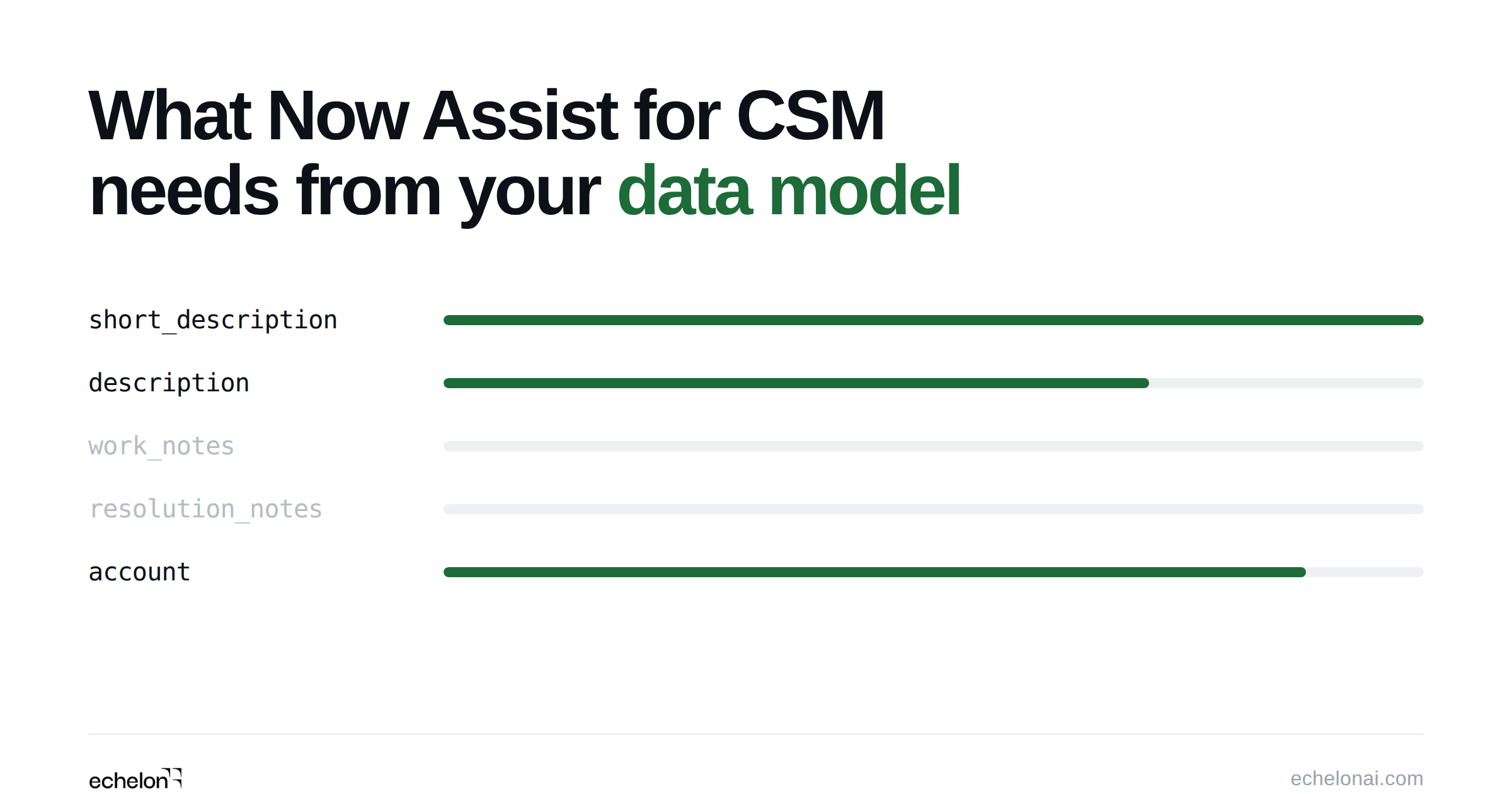
Quick answer: Now Assist for CSM builds every prompt from live record fields at inference time, so output quality is capped by what is populated on the case rather than by case volume. The data model prerequisites are a meaningful short_description, populated work_notes, resolution notes on closed cases, a linked account or consumer, and CSDM install base records.
Now Assist for Customer Service Management is ServiceNow's generative AI skill pack for CSM. It ships seven skills: case summarization, chat summarization, call summarization, resolution notes generation, knowledge article generation, suggested steps generation, and sentiment analysis. Six of the seven read the record in front of the agent at the moment the skill runs. One reads history.
Most teams that activate Now Assist for CSM and find the output disappointing have a data model problem rather than a model problem. The large language model behind each skill was pre-trained by ServiceNow or a third-party provider, and your cases were not part of that training. What the model receives is a prompt assembled from the current record, built from the input template configured in the Now Assist Admin console. Whatever is empty in that record is absent from the prompt.
That single architectural fact drives every requirement below. This article maps the prerequisites table by table and field by field, covers what each Now Assist CSM skill reads, explains the extension table limitation that hides AI from your agents entirely, and ends with a readiness assessment you can run in an afternoon. It also corrects two figures that circulate widely in this topic and are wrong.
Table of contents
- Quick reference: every CSM skill and its data contract
- Why field population beats case volume
- ServiceNow CSM plugins and version requirements for Now Assist
- The case fields every Now Assist CSM skill reads
- ServiceNow GenAI case summarization requirements, skill by skill
- Where CSDM sets the ceiling on AI output
- Now Assist CSM extension table limitations
- A ServiceNow AI readiness assessment for CSM
- Key takeaways
- Frequently asked questions
- How this article was verified
Quick reference: every CSM skill and its data contract
This table is the short version of the entire article. Each Now Assist for CSM skill has its own input contract, its own threshold, and its own characteristic failure.
| Skill | AI pattern | Primary input | Volume threshold | Most common failure |
|---|---|---|---|---|
| Case summarization | Generative (LLM) | Case fields plus activity stream | None. Roughly 200 words of case context is the practical quality floor. | Empty work_notes, so the summary restates the short description |
| Resolution notes generation | Generative (LLM) | Case fields, work notes, customer comments | 50 words minimum in the case record, enforced by the platform | Cases fall under the 50-word floor and the skill refuses to run |
| Knowledge article generation | Generative (LLM) | Resolved case fields including resolution notes | None | No resolution notes, so the draft describes a problem with no solution |
| Chat summarization | Generative (LLM) | Interaction record and chat transcript | None | Virtual Agent bypassed, so there is no conversation to summarize |
| Call summarization | Generative (LLM) | Voice interaction transcript | None | ServiceNow Voice not installed, so the skill never appears |
| Suggested steps generation | Record clustering (ML) | Short description and edited conditions on resolved cases | 2,000 good quality cases minimum, 3,000 for optimal results | Machine-generated subject lines cluster around their own formatting |
| Sentiment analysis | Generative (LLM) | Case activity: description, state, priority, additional comments | None | Customer voice lives in an external survey tool and never reaches the case |
Why field population beats case volume
There are two different AI patterns inside CSM and they have opposite data requirements. Confusing them is the most expensive mistake in a readiness assessment, because it sends the team to work on the wrong dataset for a quarter.
The generative skills read the current record. There is no historical volume threshold on any of them. An organization that went live on CSM last week with forty cases can generate high-quality summaries today, provided those forty cases are well written. What governs quality is completeness and the natural-language quality of the text in the fields the input template includes.
Suggested steps generation is the exception. It works by clustering resolved cases, so it does depend on history. That is one skill out of seven, and it is the only one where a case archive helps you.
The failure pattern follows directly from the mix-up, and it is the single most common thing we see in CSM instances during an AI readiness review. A team with a two-million-case archive migrated from a legacy tool assumes it is in excellent shape. Suggested steps trains fine. Case summarization returns a paragraph that restates the short description. Resolution notes generation refuses to run on half the queue. The knowledge articles come back describing a problem with no solution attached. The archive was never the constraint. Agent capture habits on open cases were.
The remediation paths differ too, which is why the distinction matters operationally. Historical data problems are solved with cleansing scripts, import set corrections, and a retraining cycle. Current-record problems are solved with UI policy, resolution note templates, and coaching. Different teams, different timelines, different budget lines. If you are building the wider readiness plan around this, our piece on instance-first AI readiness covers how the two tracks sequence.
ServiceNow CSM plugins and version requirements for Now Assist
Three applications have to be present and they install in order.
- Customer Service (
com.sn_customerservice). The core CSM plugin, providingsn_customerservice_case,customer_account,customer_contact, andcsm_consumer. - The shared generative AI platform layer. The common Now Assist foundation that individual skill packs sit on.
- Now Assist for CSM. The CSM skill pack itself, available from the ServiceNow Store.
Activating the skill pack without the underlying case tables produces skills that silently generate nothing, or that display a message about insufficient data with no indication of the real cause. Beyond those three, individual skills carry their own dependencies. Sentiment analysis requires AI Search, per ServiceNow's CSM community documentation. Call summarization requires ServiceNow Voice. Agent-to-agent handoff summaries require Advanced Work Assignment. An LLM provider must be configured, and whoever performs the configuration needs the Now Assist admin role.
Which release you need
One point of confusion is worth clearing up, because it appears in several widely shared readiness documents. ServiceNow exhausted the city alphabet at Zurich, which reached general availability in September 2025, and restarted with country names. Australia reached general availability on 5 May 2026 and is the current release family as of this writing. Documents that describe a supported range as "Zurich through Australia" while also naming a Vancouver patch level as the floor are mixing a minimum patch requirement with a release range. Read the Vancouver reference as the historical introduction point for the skill pack, and plan against Zurich or Australia.
The Otto naming change
The larger naming shift is Otto. ServiceNow is consolidating Now Assist, Moveworks, and its AI Experience work under the Otto brand, and the ServiceNow Otto community space now hosts what were the Now Assist articles. Several CSM documentation pages have already been retitled from "Now Assist for CSM" to "ServiceNow Otto for CSM."
Now Assist remains the generally available product and the name on the store listing, so nothing technical in this article changes. Two practical consequences are worth planning for. If you are writing an internal readiness document, expect the terminology to shift under you across the Australia release and beyond. And when you search ServiceNow's own documentation, expect inconsistent naming between pages for some months, which makes exact-phrase searching unreliable.
The case fields every Now Assist CSM skill reads
These fields on sn_customerservice_case feed multiple skills. Getting them right is the highest-leverage work in the whole exercise, because one fix improves five outputs at once.
| Field | Role in the prompt | Quality bar |
|---|---|---|
short_description | Primary case descriptor. Present in every summarization template and the main clustering signal for suggested steps. | A human-readable sentence describing the customer's issue. Values like "Case 12345", "Issue", or a forwarded email subject line produce summaries that restate the field back to the agent. |
description | Extended context in the base input field set. | Populated and meaningful. HTML artifacts such as a lone non-breaking space contribute nothing and read as populated to a naive audit query. |
work_notes | The chronological record of what agents did. The primary signal for both work-in-progress summaries and resolution notes generation. | At least one substantive entry on any case past the new state. This is the field teams most often find empty. |
state | Determines which input template fires. | Aligned with the skill condition configuration. Custom state values need the conditions updated or the wrong template fires. |
close_notes and resolution notes | Resolution content for resolved-case summaries and knowledge article generation. | Populated on closed cases. Without them, the resolved template and every generated article describe the problem and stop. |
account, contact, consumer | Customer identity in the prompt. | Linked. A case with no account or consumer has no customer identity for the model to reference. |
priority, case_type | Urgency signal and skill applicability conditions. | Standard choice values. These also drive which skill version fires for which case. |
Schema drift breaks input templates silently
Now Assist skills are bound to out-of-box input templates that reference specific base input fields by name. If short_description has been renamed, or work_notes repurposed as a read-only journal, the template omits that data quietly rather than throwing an error. Instances carrying years of accumulated schema change should be checked against the dictionary before anyone blames the model. That category of accumulated change is what we walked through in six ServiceNow CSM customizations you might not need, and the same audit surfaces both problems at once.
Role masking is a second, invisible ceiling
Now Assist uses role masking, which ServiceNow documents as filtering the LLM-generated output according to the user's active role, layered on top of the ACL permissions that governed which fields were fetched in the first place. Loosening ACLs is therefore not a route to better summaries, since the model only ever saw what the ACL permitted. Two consequences follow. Skill enablement and role design need reviewing together, before activation. And two agents looking at the same case can legitimately receive different summaries, which is worth explaining to your agent population in advance.
ServiceNow GenAI case summarization requirements, skill by skill
Case summarization
Case summarization reads the case record and the activity stream, including work notes and comments. Three input templates fire depending on state: one for new cases, one for work in progress, one for resolved and closed. The new-case template has little to work with beyond short_description, description, and customer identity, which is why summaries on freshly created cases read thin even in a healthy instance. That is expected behavior rather than a defect, and it is worth saying so during agent training.
ServiceNow's CSM community guidance on case summarization notes that although there is no enforced minimum character count, roughly 200 words of context in the case is the practical floor for a high-quality summary. Treat that as a target for your work note standards rather than a system constraint.
Related data sources are configured separately in the Now Assist Admin console and are the part teams most often skip. SLA records, related case tasks, and email activity each contribute a section to the prompt. If the SLA related table has not been configured with filter conditions, the SLA section of the output is simply absent, and nobody knows to look for something that was never there.
Resolution notes generation in ServiceNow
This skill carries the one hard, documented, numeric threshold in the entire CSM skill set. ServiceNow's documentation states that the resolution notes generation skill requires a minimum of 50 words in the case record. Below that, generation is blocked and the agent sees a message instead of a proposal.
It reads case fields, agent work notes, and customer comments. Where journal activity is absent and the skill is configured for it, similar resolved cases and knowledge articles can serve as fallback sources. The output lands in the resolution notes field as an editable preview, and the agent still selects the close code. The skill proposes, a person approves.
Measure the 50-word floor against your actual queue before activation, because it produces a specific and self-reinforcing rollout failure. Agents try the button, it refuses, they stop trying, and adoption numbers never recover. In queues dominated by short transactional cases, a meaningful share of records will sit under the threshold on day one. The fix is work note capture rather than anything in the AI configuration.
Knowledge article generation
Available on resolved and closed cases. It reads short_description, description, resolution notes, work notes, and comments, then drafts an article into the knowledge workflow for review.
Resolution notes are the load-bearing input. Without them the model holds the problem and no solution, and the draft describes a customer complaint at length. The second dependency is structural: the skill does not deduplicate against your existing knowledge base and it does not invent a taxonomy. Generating articles into a flat, unowned, already-duplicated knowledge base multiplies an existing problem at machine speed. Fix the taxonomy first. We have written separately about why ServiceNow documentation fails and how to fix it, and the same failure modes apply here.
Chat and call summarization
These two read the interaction record and its transcript, not the case. Chat summarization fires when a Virtual Agent conversation hands off to a live agent, when one agent hands off to another, and when an agent ends an interaction. It writes to the short description and chat summary fields on the interaction record, which then propagate to the case if a case is created from that interaction.
The prerequisites here are environmental rather than field-level. Virtual Agent has to be deployed, or there is no conversation to summarize. Advanced Work Assignment has to be configured, or agent-to-agent handoff summaries do not generate. Call summarization requires ServiceNow Voice with transcription enabled. A deployment where customers reach live agents directly, bypassing the Virtual Agent, produces no chat summaries at all, and the cause is invisible from inside the skill configuration.
Suggested steps generation
This is the clustering skill, and it is where the most widely repeated number in this topic is wrong.
You will see 10,000 cases quoted as the minimum, with 30,000 to 300,000 as the recommended range. Those figures are real, and they describe generic Predictive Intelligence classification and regression model training, which is a different mechanism. ServiceNow's CSM community documentation on suggested steps generation puts the requirement an order of magnitude lower: a minimum of 2,000 good quality cases in the instance, with a baseline of 3,000 for optimal results. It describes the mechanism as Group Action Framework clustering, which identifies clusters of resolved cases and generates action guidance from case attributes and outcomes. If you deferred this skill because you believed you needed 10,000 resolved cases, check again.
What the clustering reads is narrow. Per the ServiceNow configuration documentation, the inputs are short description and edited conditions, and the input data source cannot be modified. That makes short_description quality the entire ballgame. Machine-generated ticket subjects, integration artifacts, and forwarded email prefixes cluster around their own formatting rather than around real customer problems, and the resulting guidance is noise. Excluding auto-created records from the corpus does more for this skill than adding volume to it, and consistent resolution codes improve clustering reliability further.
Sentiment analysis
A second circulating claim needs correcting here: sentiment analysis in Now Assist for CSM is not driven by the channel field. ServiceNow's CSM community documentation describes it as using case activity including description, state, priority, and additional comments, drawing on chat transcripts, emails, comments, and surveys logged within the case, then classifying sentiment as positive, neutral, or negative and offering agent guidance when the reading is negative.
The important constraint is that it only analyzes data stored on the case record. Live chat in flight and surveys held in an external tool are outside its reach. That has a data model consequence worth planning for. If your customer voice lives in a survey platform that writes nothing back to the case, sentiment analysis is scoring a partial record. Cases opened by agents on the customer's behalf carry the same distortion, because the text being scored is the agent's phrasing of the problem rather than the customer's.
Where CSDM sets the ceiling on AI output
CSM references a defined set of Common Service Data Model tables, and those references are what carry product and service context into a prompt. When they are empty the skills still run. They run context-free, and the output is generic in a way that is hard to diagnose precisely because nothing failed.
| CSDM object | Table | What it contributes to AI output |
|---|---|---|
| Sold Product | sn_install_base_sold_product | What the customer bought. Carries product identity and, through the service offering, support tier into the prompt. |
| Install Base Item | sn_install_base_item | The specific product instance the customer runs. Lets a summary name which deployment is affected. |
| Product Model | cmdb_model | The shared product definition that both CMDB and install base reference. |
| Service Offering | service_offering | Links a sold product to a service level. Without it, SLA context in case summarization has nothing behind it. |
| Application Service | cmdb_ci_service_discovered | Install base items for SaaS products generally point here. No application services means no traversal from product instance to service instance. |
The chain that matters is account, then sold product, then service offering, then service model. Break it at any link and service-tier context disappears from every summary. A software vendor with thousands of accounts and no install base population will find the AI treating a trial customer and a platinum-tier enterprise identically, because from the prompt's point of view they are identical records.
Practically, an organization sitting at CSDM foundation level only, with company, location, group, user, and product model populated, will get working skills at the case and account level and none of the product, service offering, or install base enrichment. That is a legitimate place to start. What matters is knowing it is where you are, so the first round of output is judged against the right expectation rather than read as a failure of the technology.
Now Assist CSM extension table limitations
This is the failure that generates the most support tickets in this topic, and it has nothing to do with data quality.
ServiceNow's leading practice is to build case types as tables extending sn_customerservice_case rather than adding fields to the base table. Most mature instances have done exactly that, and industry products push you further down the hierarchy. Financial Services extends to sn_bom_case, and telecom and public sector products carry their own base case tables, each of which can be extended again.
Now Assist skills are configured against a base input table. A skill activated on sn_customerservice_case appears on base-table records. It does not automatically appear on records in an extension table. Teams that followed the recommended modeling approach can therefore activate every skill, verify each one in the admin console, and still see no AI capability whatsoever on the cases their agents work all day. The configuration looks correct from every angle except the one that matters.
How to enable Now Assist skills on custom case types
The fix is documented and quick once you know to look for it. Base system skills cannot be modified directly, so the sequence is:
- Activate the base system skill from the Now Assist Admin console.
- Use "Make a copy" to create an editable version.
- Change the copy's base input table to your extension table. ServiceNow's skill customization documentation states plainly that you can change the base input table and add case extension tables for the copied skill.
- Add the extension table's custom fields as base input fields.
- Write a real description for every one of those fields.
Suggested steps needs more than that. It also requires a new Recommended Actions context record with Case Context as its parent, and that context linked to the Recommended Actions component on the custom table's record page in UI Builder.
Step five is the one people skip, and it is the cheapest quality improvement available anywhere in the configuration. Field descriptions are instructions to the model about how to read a value. A field named u_hardware_serial described as "Hardware serial number from the customer's device" gets used in a sentence. The same field described as "Serial" may not be incorporated at all. ServiceNow's documentation is direct about this: more information in the description means more context for the model.
Every custom case type multiplies this configuration work, which is a good reason to be deliberate about how many you create in the first place. Teams planning a CSM build from scratch may find our walkthrough of CSM migration through discovery, design, and build useful for sequencing the data model decisions ahead of the AI decisions.
A ServiceNow AI readiness assessment for CSM
Run this before you activate anything. It takes an afternoon and it tells you which skills are worth turning on now and which should wait.
1. Platform and applications
Confirm the Customer Service plugin, the shared generative AI layer, and the Now Assist for CSM skill pack are installed, that an LLM provider is configured, and that whoever is doing the configuration holds the Now Assist admin role. Add AI Search if you want sentiment analysis, ServiceNow Voice for call summarization, and Advanced Work Assignment for handoff summaries.
2. Schema integrity
Query sys_dictionary for short_description and work_notes on the case table and confirm they exist unchanged. Query sys_choice for active state values on the case table and compare them against the conditions configured on each skill. A custom state set that nobody mapped into the skill conditions will fire the wrong input template.
3. Field population baselines
Use GlideAggregate to establish four numbers:
- Percentage of active cases with a non-empty, non-generic
short_description. Target around 95 percent. - Percentage of non-new cases carrying at least one work note. Target around 60 percent. Remember that work notes live in
sys_journal_fieldrather than on the case table. - Percentage of resolved cases with populated resolution notes. Target around 70 percent.
- Percentage of B2B cases with an account linked. Target around 98 percent.
These are planning thresholds we use to rank remediation work, not platform requirements. Nothing breaks below them. Output quality degrades in proportion.
4. The 50-word count
Separately, count how many open cases carry fewer than 50 words across their text fields. That number is the share of your queue where resolution notes generation will refuse to run on day one, and it is the single most useful figure for setting rollout expectations with an agent population.
5. CSDM coverage
Check whether install base items exist for your major product lines, whether sold products are linked to accounts and consumers, and whether service offerings are linked to product models. If all three are empty, plan for case-and-account-level output and set expectations accordingly.
6. Test with real records
Use the built-in test panel in the Now Assist Admin console and test each skill across all three state templates, using representative cases rather than the one clean case someone prepared for the demo. ServiceNow's own guidance is to run multiple tests with different records. Note that each test counts against your Now Assist assist allocation.
If you would rather have the assessment run for you, along with the remediation work it surfaces, this is the kind of instance-wide inventory Echelon performs as a first step on CSM engagements. Output lands as an update set in a sub-production instance behind a developer approval gate, so nothing changes in your environment without a person signing off on it.
Key takeaways
- Six of the seven Now Assist for CSM skills read the current record, so field population on open cases governs quality. Case volume is irrelevant to them.
- Resolution notes generation has a hard 50-word floor per ServiceNow documentation. Measure your queue against it before rollout.
- Suggested steps generation needs roughly 2,000 good quality cases, with 3,000 as an optimal baseline. The 10,000 and 30,000 figures in circulation describe generic Predictive Intelligence training rather than this skill.
- Sentiment analysis reads case activity such as description, state, priority, and additional comments, and only what is stored on the case record. It is not driven by the channel field.
- Skills configured on the base case table do not appear on extension tables. Copy the skill, change its base input table, then add extension fields with real descriptions.
- CSDM install base and service offering records are what carry product and service-tier context into a prompt. Without them every customer looks the same to the model.
- Role masking filters output to the user's active role, so ACL design belongs inside skill enablement rather than after it.
- Now Assist is moving under the Otto brand across the Australia release, so expect ServiceNow documentation to use both names for a while.
Frequently asked questions
What is ServiceNow Now Assist and why does it matter for CSM?
Now Assist is ServiceNow's generative AI layer, delivered as a skill pack per product. Now Assist for Customer Service Management provides case, chat, and call summarization, resolution notes generation, knowledge article generation, suggested steps, and sentiment analysis. It matters because it compresses case context an agent would otherwise read manually. ServiceNow is consolidating the brand under Otto, though Now Assist remains the generally available product name.
How much historical case data does Now Assist for CSM need?
For the generative skills, none. They read the case in front of the agent, so a new instance with well-documented cases produces good summaries immediately. Only suggested steps generation depends on history, and ServiceNow's CSM guidance puts that at 2,000 good quality cases minimum with 3,000 as an optimal baseline, well below the figures usually quoted.
What are the ServiceNow CSM plugins required for Now Assist?
The core Customer Service plugin, the shared generative AI platform layer, and the Now Assist for CSM skill pack, installed in that order. Individual skills add dependencies: AI Search for sentiment analysis, ServiceNow Voice for call summarization, and Advanced Work Assignment for agent-to-agent handoff summaries. An LLM provider must be configured and the configuring user needs the Now Assist admin role.
Why does ServiceNow case summarization return thin or generic summaries?
Almost always empty source fields. Check whether the case has work notes, whether the description contains real text rather than an HTML artifact, and whether an account or consumer is linked. Also check the configured related data sources, since an unconfigured SLA related table removes that section from the output silently. Roughly 200 words of case context is the practical quality floor.
Do Now Assist skills work on custom case types and extension tables?
Not automatically. Skills bind to a base input table, so a skill activated on sn_customerservice_case will not appear on records in a table that extends it. Activate the base skill, make a copy, and change the copy's base input table to your extension. Suggested steps additionally needs a Recommended Actions context record and a UI Builder link on the custom record page.
What is a ServiceNow AI readiness assessment for CSM?
A structured check of whether your instance can support generative AI skills before you activate them. It covers plugin and version prerequisites, schema integrity on the case table, field population rates for short description, work notes, resolution notes, and account linkage, CSDM install base coverage, and whether your case types are extension tables. It produces a ranked remediation list rather than a yes or no answer.
What case data leaves the instance when a Now Assist skill runs?
The assembled prompt, containing whichever fields the skill's input template includes, is sent to the configured LLM provider at inference time. If those fields hold regulated data or personally identifiable information, that content is in the prompt. Review your input template field selection alongside your provider configuration and ServiceNow's data handling documentation before enabling skills in a regulated environment.
Does Now Assist for CSM need Predictive Intelligence?
Six of the seven CSM skills are generative and use a pre-trained large language model, so they need no Predictive Intelligence model and no training data. Suggested steps generation is the exception, using record clustering over resolved cases. The 10,000 record minimum often quoted comes from generic Predictive Intelligence classification and regression training rather than from this skill.
How this article was verified
Every technical claim here was checked against ServiceNow product documentation for the Australia release or against ServiceNow's own CSM community articles, and the relevant page is linked inline at the point the claim is made. Where ServiceNow does not publish a figure, that is stated rather than filled in from secondary sources.
Two numbers commonly repeated in this topic did not survive that check, and both are corrected above. The 10,000-case minimum attributed to suggested steps generation comes from generic Predictive Intelligence model training guidance and does not apply to the skill. The claim that sentiment analysis is driven by the channel field does not match ServiceNow's description of the capability. If you have seen either figure in a readiness deck, it is worth tracing back to the source.
Where to start
Run the baseline queries first. Four numbers on field population, plus one count of cases under the 50-word threshold, will tell you more about your Now Assist readiness than any feature comparison, and they take an afternoon to produce. Then check whether your case types are extension tables, because that single answer determines whether your agents will see any AI at all.
If you want the assessment run for you, talk to Echelon about a CSM data readiness review. You can also see how the same approach applies to a first AI build in our guide to running an effective AI POC on ServiceNow, or read how we think about AI tools for ServiceNow delivery more broadly.